- The problem. AI tools held 72.6 GiB on one developer’s Mac. Codex alone was 53.7 GiB across 21,613 files.
- What we found. Images were 77% of the largest conversations, and 39% of those were copies the agent saved again while compacting its history. Subagents held only 30% of the bytes.
- What we built. Mint’s Optimize keeps the pictures Codex reads when you continue a conversation. Remove media takes pictures, audio and video out for good and keeps the text.
When Codex, Claude or Cursor takes up tens of gigabytes, deleting its whole folder can cost you work. First separate the conversations and their images from caches, temporary builds and virtual-machine bundles. This is a measured tour of those differences on one Mac, with links to the current cleanup guides for each tool.
We went and looked. On one developer's Mac, AI tools were holding 72.6 GiB. Codex alone was 53.7 GiB across 21,613 files. Claude Desktop had 11.8 GiB, and 10.1 GiB of that was virtual-machine bundles. Then Cursor at 5.4 GiB, Claude Code at 1.5 GiB and Gemini CLI at 0.2 GiB.
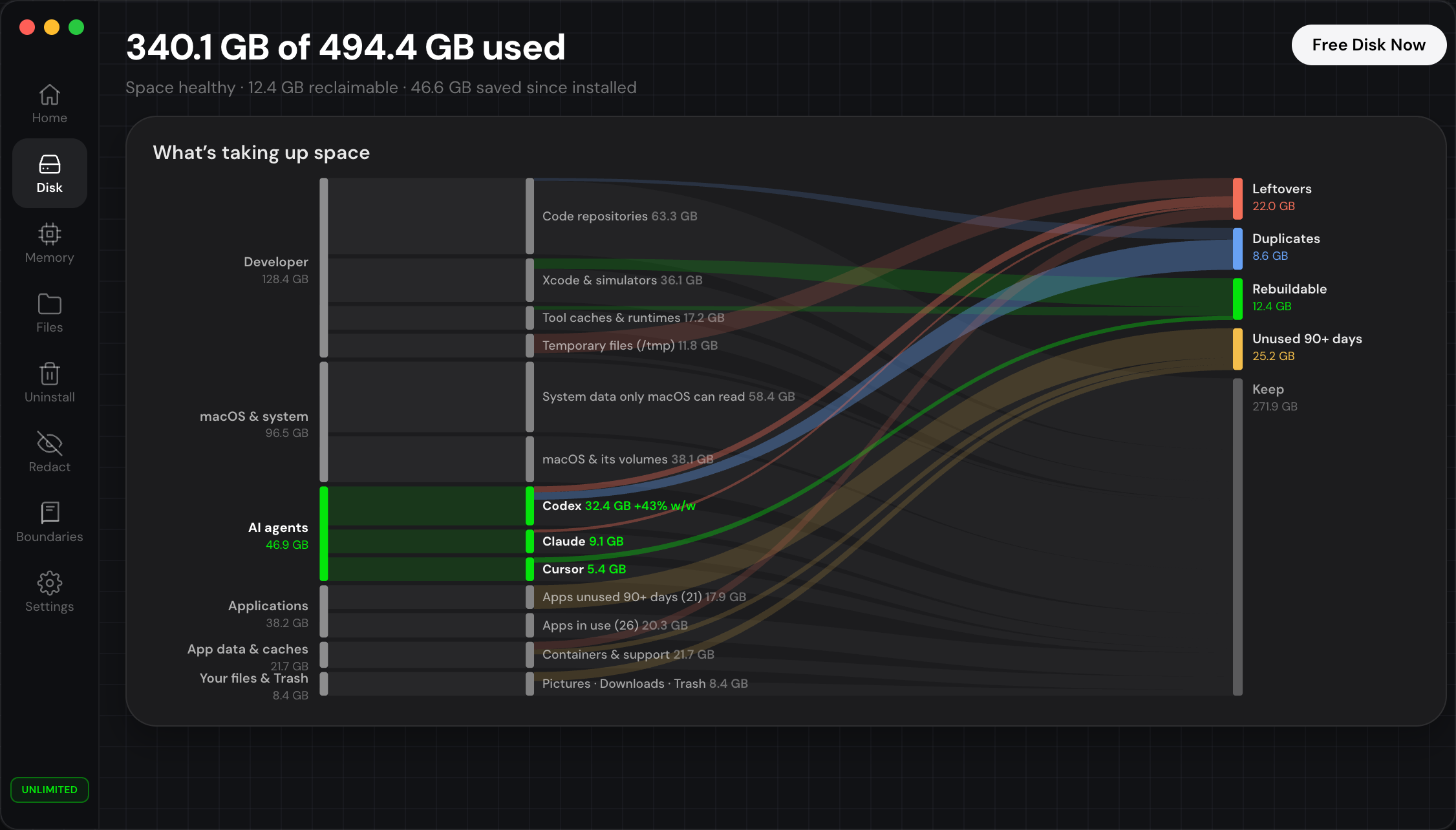
The total itself isn't that surprising. Every developer we've shown this to has a number like it. What surprised us was what the bytes actually are. Almost nobody guesses it right, and we didn't either.
The text is small
The usual guess is that a long-running agent writes a lot of text and the text adds up. It doesn't. Text takes almost no space.
We streamed the 50 largest active session files (10.9 GB in total) and hashed every embedded payload on device. Images accounted for 8.43 GB of the 10.9 GB. So 77% of this "conversation history" is pixels: screenshots the agent took, images it generated, and visual tool output it looked at once.
Then we checked how many of those images were unique. Of the 8.43 GB, only 5.17 GB were. 3.26 GB, or 39%, were copies of something already stored in the same file. Across 17,643 embedded images, 11,790 are distinct and 5,853 are repeats.
17,643 embedded images · 11,790 unique · 5,853 are repeats of something already in the file
How compaction makes copies
A long session eventually runs out of context. To keep going, the agent compacts its history: it summarises what happened so far and carries on from the summary. That makes sense, and it's necessary.
In these sessions an image is stored whole, inlined into the record as a data URL, with no path to a file on disk. When a compaction record gets written, some of them re-embed the image payload they just summarised instead of pointing back to it.
Round one carries the original. Round two carries the original plus round one's copy, and round three carries all of that again. Each compaction makes the history bigger, and the growth is linear in the size of all the images that came before.
The largest single session file we looked at was 14 GiB, all one conversation. It had 359 compaction events and 13.6 GiB of embedded image data, and only 155 MiB of that was unique image content. 99% was the same pictures repeated, and five of the images showed up between 45 and 136 times each. By then, the compaction records are mostly copies of images the file already had.
Where the bytes came from
A popular explanation for agent disk bloat is going around right now, and it sounds convincing. Agents spawn subagents, subagents inherit the parent's history, each branch copies the payload again, and the tree keeps multiplying, so more agents means more copies until the disk fills up.
We believed it too. The machine has the data to check it, though, so we checked.
Codex keeps its own thread database, and it includes a table of spawn edges that records which thread created which. We matched every rollout file on disk to its thread and looked at where the 50.4 GiB sat.
Root sessions started in the editor held 32.9 GiB, 65.4%. Spawned subagent threads held 15.1 GiB, 30.0%, and command-line sessions 2.1 GiB. Two thirds of the bytes had nothing to do with subagents.
That changes what you'd do about it. If fan-out were the cause, the fix would be about how you run agents: fewer of them, lower concurrency, more careful delegation. That's useful advice, but on this machine it would have fixed a third of the problem at most.
The cause is the re-embedding, and that needs no subagent, only a long conversation with pictures in it. Subagents multiply it. Cut down on subagents alone and the duplication is still there; remove the duplication and the subagent threads get smaller too.
"Archive" does not free anything
One more thing, because people lose afternoons on it. Archiving a conversation in the agent just moves the file from one directory to another. On the Mac we measured, 1,174 archived conversations still held 16.1 GiB. Archiving keeps the list tidy and saves no space. You only get space back when something is deleted.
Reading 14 GB without killing the machine
A quick engineering note, since this almost ended the whole investigation.
Our first analyzer streamed those session files with Foundation's FileHandle.read(upToCount:) in a background loop. Every call returns an autoreleased buffer, and nothing drains the pool until the loop ends, so the process holds on to everything. Reading 1.15 GB left 1,097 MB resident. When we pointed it at a 14 GB file, the Mac ran out of application memory.
The rewrite uses POSIX open/pread into one reusable buffer, and the same 1.15 GB read holds 14 MB. After the rewrite, the full inventory pass covered 72.6 GiB in 8.6 seconds at 28 MB resident, and the deep hashing pass streamed 10.9 GB at 42 MB. A runtime check guards it: if resident memory grows by more than 256 MB while one file streams (or by more than a sixteenth of the file, for very large ones), the pass stops itself instead of taking the machine down.
Without this, a tool can't look inside these files at all. Nobody can ship an analysis that needs 18 GB of RAM to run.
De-duplicate instead of delete
Once you know the bytes are duplicates, the decision gets a lot easier.
Deleting a conversation throws away work: the reasoning, the diffs, why a decision was made. Nobody should be pushed into that to get disk space back. De-duplicating inside a conversation loses nothing. The first occurrence of every image stays where it is, and each later duplicate becomes a small marker that points back to it.
The conversation still opened in the agent and the screenshots were still visible. Because the first copy never left the file, the change could be reversed byte-for-byte from the file itself, with no vault and no outside state that could get lost.
We shipped that first, as Optimize, and what it claimed was true. Then we ran the same measurement over the entire store instead of the fifty largest files, and three things came up. In-conversation duplicates were the smallest of three pools, and most of them sat in conversations still in use. A forked conversation can also depend on another file's bytes, which makes rewriting the base in place unsafe. The full census is in What 22 GB of Agent Conversations Is Made Of, and the early preview-making it describes is history now. Today Mint keeps two actions apart. Optimize preserves the pictures Codex reads when you continue a supported conversation. Remove media permanently removes embedded pictures, audio and video and keeps the text, leaving placeholders, not small previews.
Some things stayed the same. Delete permanently removes whole conversations through the agent's own archive and delete calls, so its index stays consistent. Nothing is pre-ticked, and every run asks you to confirm before it touches a file. Supported Optimize can be undone as long as the originals and history it needs are still there; Remove media and Delete permanently can't be undone. Check the confirmation your installed version shows for the action it offers.
What we learned
Agent storage feels like a black box mostly because nobody looks at it, and it isn't that complicated. The files are plain text on your own disk, the thread database is a SQLite file you can open, and you can measure the duplication with a hash function in an afternoon.
We went in expecting to write "agents generate a lot of data, here's a cleaner." What we found was more specific: most of it is the same data stored again and again. You can see how much, per file, on your own machine, without uploading anything.
So Mint shows you the numbers and the reason, and you don't have to take its word for it. It doesn't delete a conversation unless you pick Delete permanently. Optimize preserves what Codex reads; Remove media makes a different tradeoff, keeping text and discarding media. The current guide explains the difference.
Every number here was measured with Mint's own scan hooks on one developer Mac in August 2026. The scans are read-only, run entirely on device, and you can reproduce them on yours.